.jpg)
Best finger tracking gloves for OptiTrack motion capture systems (2026 guide)
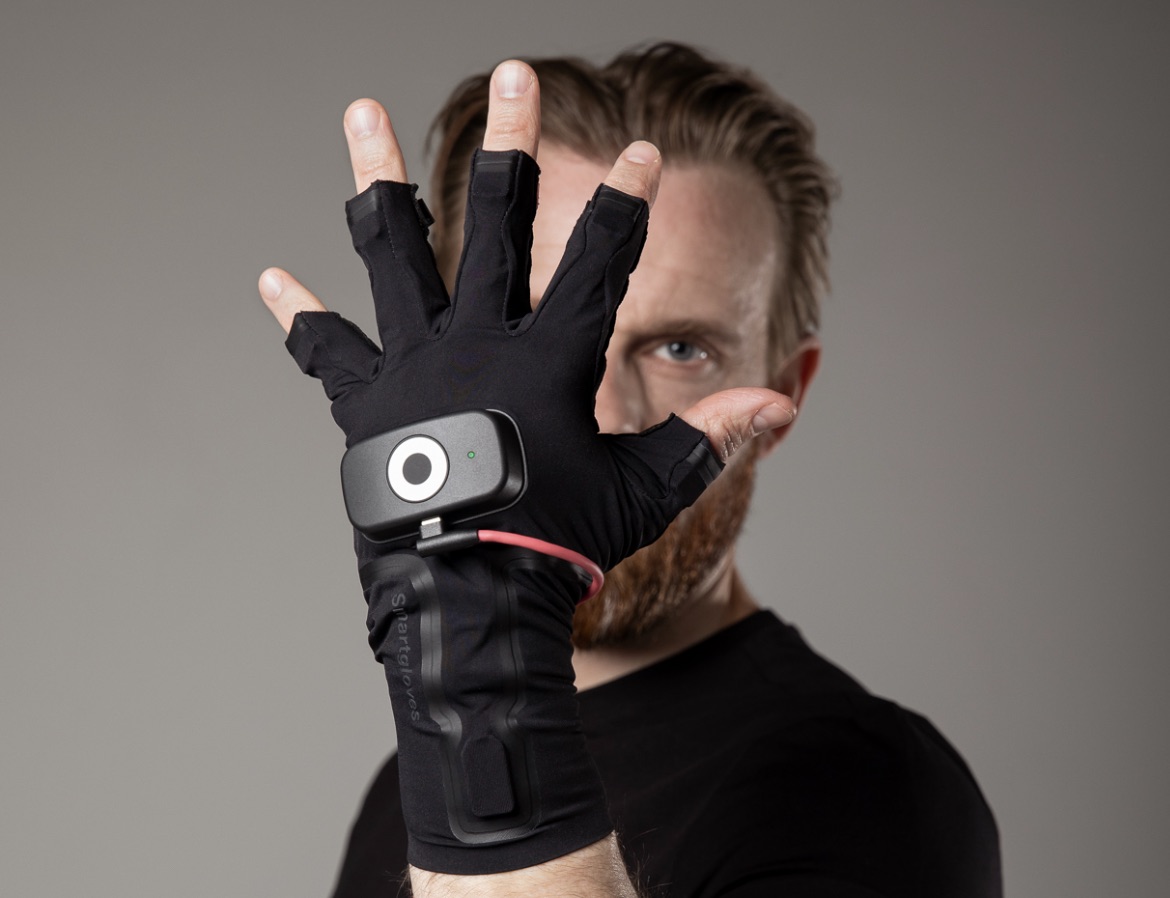
Many teams choose Rokoko Smartgloves II as their IMU-based finger tracking solution alongside OptiTrack optical motion capture systems. They capture 39 degrees of freedom per hand at 83.33hz with zero camera occlusion, and integrate directly into OptiTrack Motive via real-time streaming. If you’re using an OptiTrack system powered by Motive, you already have access to some of the most precise optical motion capture available. But when it comes to finger tracking, things get more complicated.
Optical systems are excellent for body tracking at scale. Fingers are a different challenge entirely. That’s why many OptiTrack users end up looking for a dedicated finger tracking solution to complement their setup.
In this guide, we’ll break down your options - and why many teams choose Rokoko Smartgloves II as the best fit for OptiTrack workflows.
If you are already an OptiTrack user and want to get started with livestreaming Smartglove data to Motive, see our setup guide here.
The challenge with finger tracking in optical systems
Finger motion is small, fast, and often occluded.
Even in a high-end optical setup, capturing detailed finger articulation requires either:
- A large number of markers per hand
- Very controlled capture conditions
- Or both
With OptiTrack’s native approach, only a limited number of markers are typically used for fingers. This works for basic gestures, but quickly breaks down when you need:
- Subtle finger interaction
- Contact with props or other actors
- High-fidelity animation for close-ups
On top of that, optical tracking always struggles with occlusion. Fingers overlap, rotate away from cameras, or get blocked during interaction. When that happens, data quality drops.
Why OptiTrack users choose Rokoko Smartgloves II for finger tracking
Rokoko Smartgloves II are designed to solve exactly these problems - and integrate directly into your OptiTrack pipeline via real-time streaming into Motive.
Here’s why they’re a strong match.
1. High-quality finger data without occlusion issues
Rokoko Smartgloves II use IMU-based tracking instead of cameras, capturing 39 degrees of freedom per hand at an output data rate of 83.33hz.
That means:
- No line-of-sight issues
- No marker swapping
- Stable data even during complex interaction
You get consistent, high-quality finger tracking regardless of how hands move relative to cameras.
2. Designed for natural performance
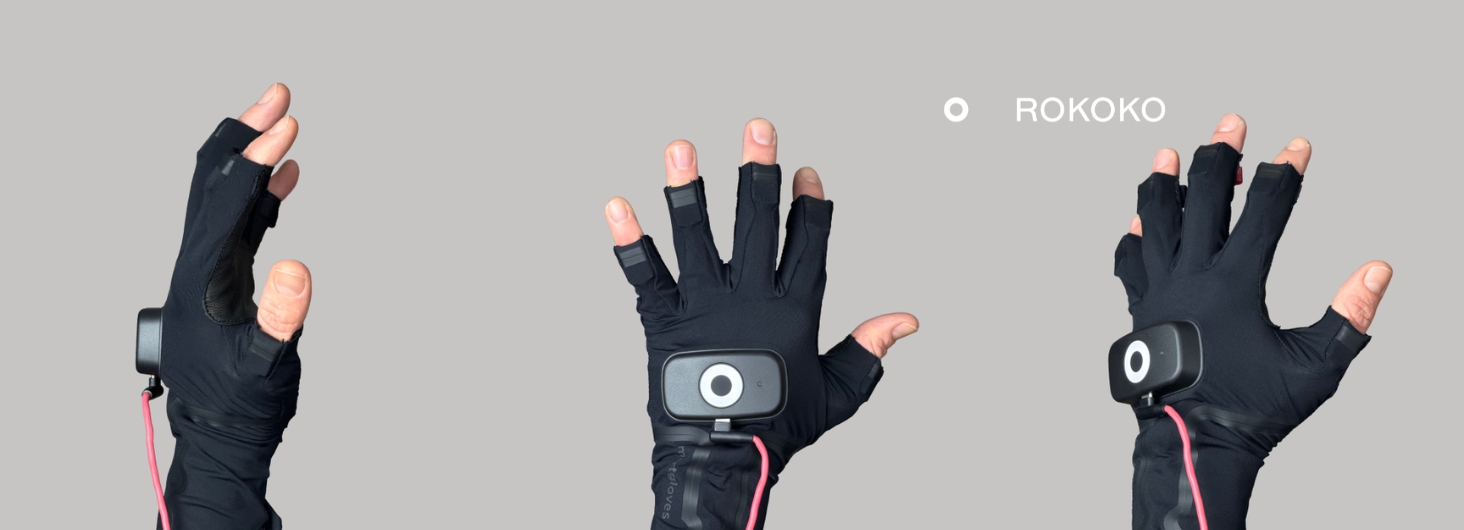
One of the most overlooked factors in finger tracking is how the hardware affects the actor. Rokoko Smartgloves II feature exposed fingertips. This allows performers to:
- Feel surfaces and props
- Maintain natural contact with objects
- Avoid the “glove effect” where movement subtly changes
With fully covered gloves, actors often perform differently because they feel the material on their fingers. That difference shows up in the data.
With exposed fingertips, performance stays natural - and that translates directly into more believable animation.
3. Fast setup and ease of use
Setup time matters more than most teams expect. With Rokoko Smartgloves II:
- Put on the gloves
- Connect via WiFi (2, 4 & 5 GHz, up to 100m range)
- Start capturing
No complex calibration routines or marker placement required.
For teams already running an OptiTrack stage, this simplicity makes a big difference in day-to-day production.
4. Real-time integration with Motive
Rokoko Smartgloves II integrate directly with Motive through a real-time plugin.
This allows you to:
- Stream finger data live into your OptiTrack pipeline
- Combine body tracking from OptiTrack with finger tracking from Rokoko Smartgloves II
- Maintain a unified workflow without post-processing hacks
The result is a hybrid system that leverages the strengths of both technologies.
5. Significantly more affordable than high-end alternatives
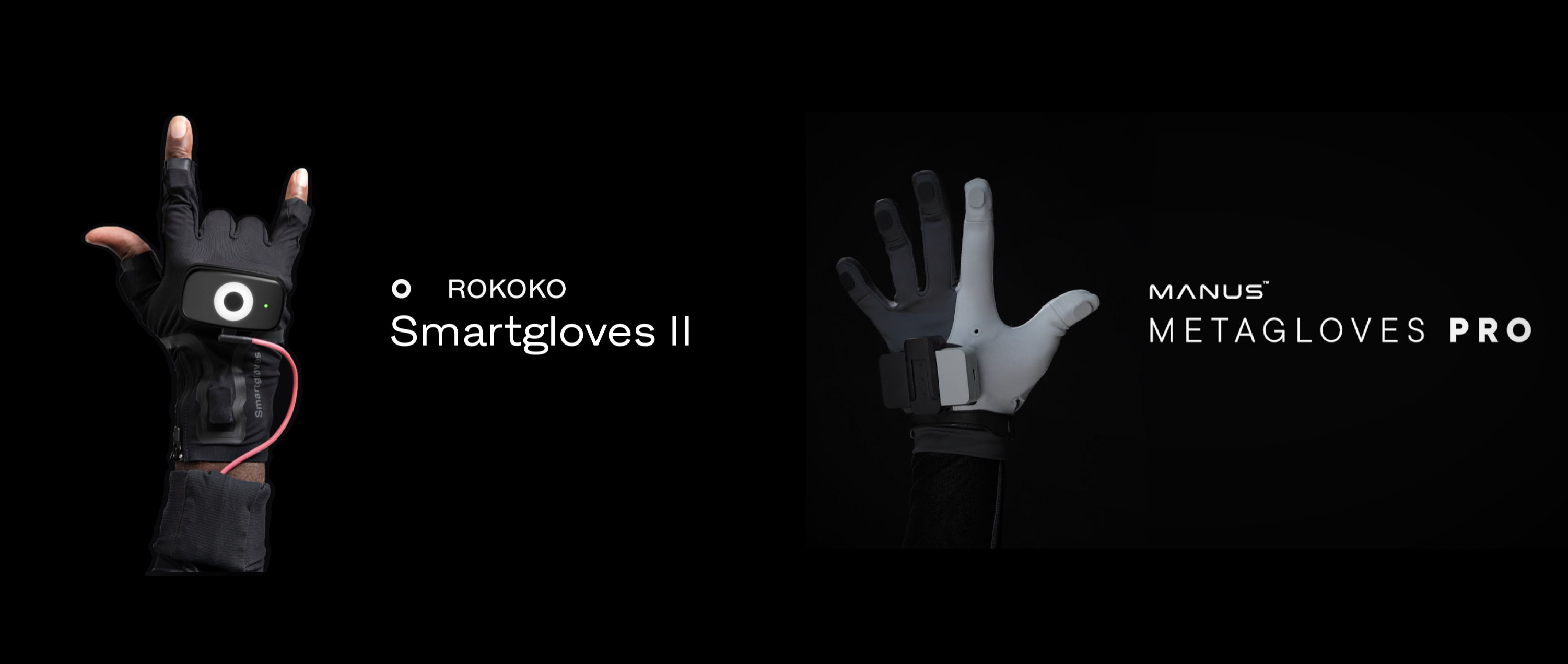
Cost is often the deciding factor. Compared to Manus, Rokoko Smartgloves II offer:
- A much lower price point
- Comparable real-time performance for most use cases
- Faster onboarding and setup
For many teams, especially in games, indie production, and virtual production, this makes Rokoko Smartgloves II the more practical choice.
What about other finger tracking options?
There are a few alternatives worth mentioning:
- Manus: High-end, widely used in large studios. Strong performance, but comes at a significantly higher cost and complexity.
- StretchSense: An earlier player in the space using soft sensors. Less commonly used today in OptiTrack pipelines.
- Optical-only approaches: Possible, but require dense marker setups and still struggle with occlusion and fine detail.
In practice, most teams looking for reliable, scalable finger tracking move toward glove-based solutions.
The best of both worlds: Optical + IMU
The most effective setups today are hybrid.
Use:
- OptiTrack for precise full-body tracking
- Rokoko Smartgloves II for detailed finger capture (39 DOF per hand, 83.33hz)
This combination gives you:
- Accuracy at scale
- High-fidelity hand performance
- Minimal setup friction
Final thoughts
If you’re already using OptiTrack, adding a dedicated finger tracking solution is one of the fastest ways to upgrade your output quality.
Rokoko Smartgloves II stand out because they balance:
- Performance
- Usability
- Cost
And with direct integration into Motive, they fit naturally into your existing workflow. For teams that care about both data quality and production efficiency, that combination is hard to beat.
Frequently asked questions
Read more inspiring stories


-min.jpg)

Book a personal demonstration
Schedule a free personal Zoom demo with our team, we'll show you how our mocap tools work and answer all your questions.
Product Specialists Francesco and Paulina host Zoom demos from the Copenhagen office


