Rokoko Smartgloves II vs. MANUS: Finger Tracking Gloves Compared (2026)
A practical guide to hand tracking for robotics, research, and motion capture
Last updated: November 2026
The short answer: If you want portable, open-fingertip tracking at US$1,995 a pair, with absolute positioning (with Coil Pro) and a direct path into ROS 2, NVIDIA Isaac Lab, Unreal, Unity or Blender, choose Rokoko Smartgloves II. If you need sensors at the fingertips, per-finger haptic feedback or tight integration with an existing Xsens or optical setup, choose MANUS Metagloves Pro.
Choose Smartgloves II if you want:
- Open fingertips, so performers and operators can feel what they're holding
- Absolute hand position without an optical stage (with Coil Pro)
- One ecosystem for body, hands and face capture
- Raw sensor data and a ready-made hand solver through our Device SDK
- A more affordable price you can budget around and scale your set-up
Consider MANUS if you need:
- Sensors placed right at the fingertips
- Per-finger haptic feedback (Metagloves Pro Haptic)
- Tight integration with an existing optical or Xsens setup
Why compare Smartgloves II and MANUS?
Rokoko Smartgloves II and MANUS Metagloves Pro are two of the most common wearable finger tracking gloves in motion capture and robotics. Both track fingers without needing cameras to see them, which matters whenever hands grip, hold or touch things.
But they’re built on different ideas. Smartgloves II leave the fingertips open and include their own positioning option (Coil Pro). Metagloves Pro put a sensor at each fingertip and rely on third-party trackers for hand position.
Why consider Rokoko Smartgloves II?
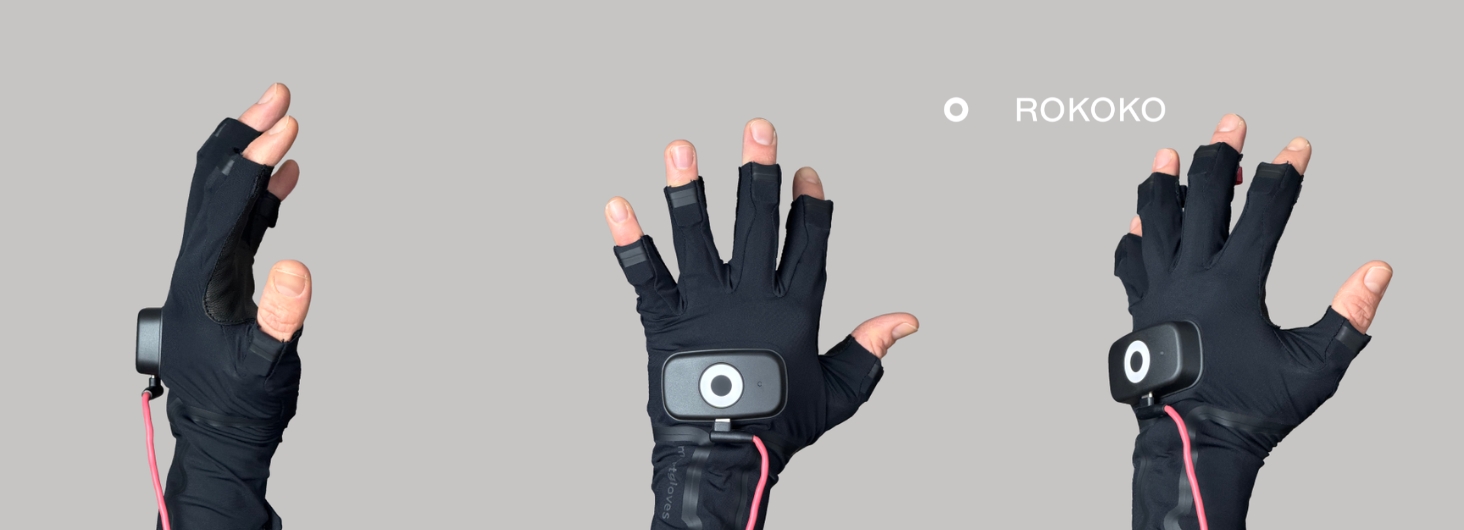
Rokoko Smartgloves II are wireless finger tracking gloves that combine inertial (IMU) and electromagnetic (EMF) sensing. They’re built for two kinds of use cases: creators capturing hand performance, and engineers who need hand data for robots and research.
The gloves use a 250 Hz internal IMU sampling rate, while the published output data rate is 83.33 Hz. Those describe different parts of the system: internal sampling should not be confused with the rate your application receives updates. Smartgloves II specifications
Open fingertips: feel what you're holding
We deliberately left the Smartgloves fingertips open. Your skin touches the prop, the tool or the part directly.
Why it matters:
- For performers: natural grip, natural timing, and props that feel like props.
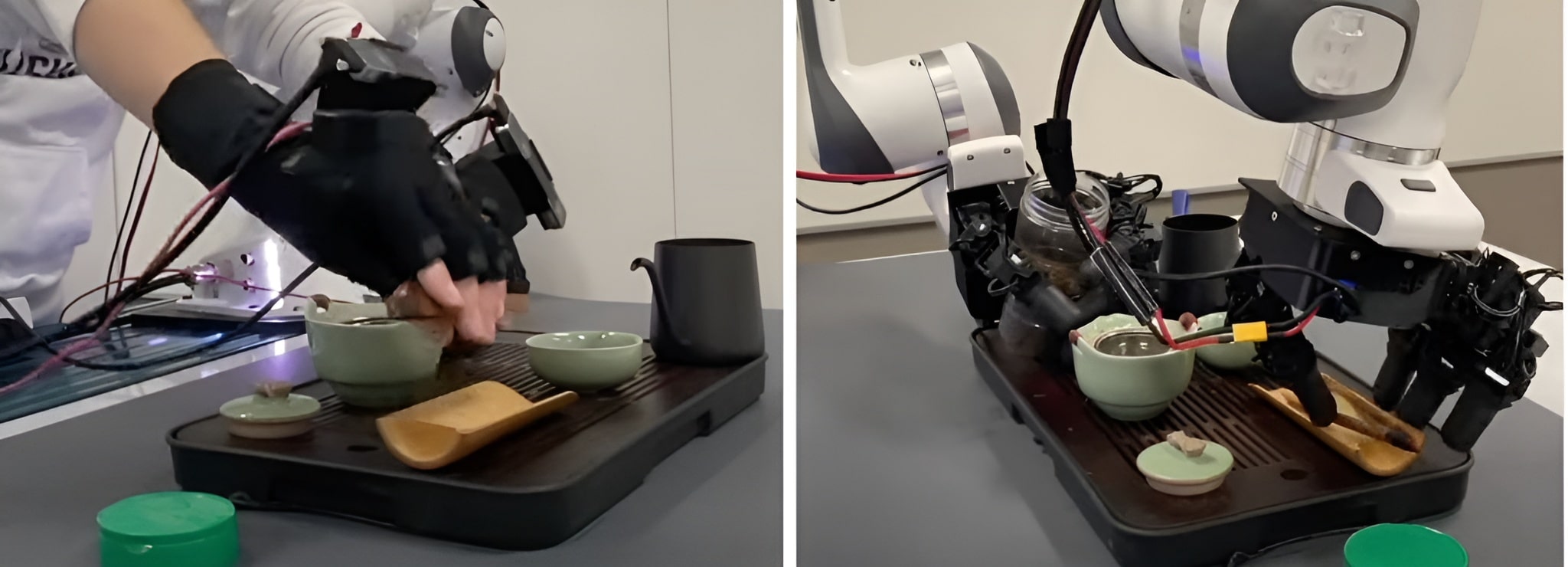
- For robotics teams: operators can handle small parts and controls naturally while recording demonstrations.
- For everyone: the electronics sit further back on the fingers, away from the metal objects you're touching.
To be clear, this is not haptic feedback. Open fingertips let you feel what you physically touch. They don't recreate what a remote robot feels.
The trade-off: because our finger sensors sit further back, fingertip position comes partly from the hand model and solver. If fine pinches or thumb-to-finger contact are central to your work, test those first. (No glove measures exact fingertip contact, by the way. Every system uses software to decide when two fingers are touching.)
How MANUS does it: MANUS takes the opposite approach. Metagloves Pro place an EMF sensor at each fingertip, measuring position and rotation right at the tip. That’s a strong choice when exact fingertip placement matters most, while open fingertips favour direct touch and dexterity.
The SDK: bring hand data into your own robotics workflow
For a robotics team, access to the data can be as important as the glove itself.
The Rokoko Device SDK supports Windows, macOS and Linux. It communicates over TCP/IP, allowing teams to build clients in any language that supports network sockets. SDK access requires a license; request pricing for your intended use. Rokoko Device SDK
With Smartgloves, developers can access sensor poses, accelerometer and gyroscope measurements, and tracking status information. Both glove generations support Wi-Fi streaming; Smartgloves II also support USB data streaming. Smartgloves SDK reference
That gives researchers room to build their own processing, logging, and retargeting systems rather than committing to one finished hand representation.
Use a supplied solver or develop your own
The SDK includes a hand solver that converts glove data into a 26-joint hand representation, with local, world, and optional OpenXR-formatted output. A Python example and a hand-solving guide provide starting points for teams that want to inspect or adapt the approach.The solver is in early release. Think of it as a solid starting point. Hand-solving guide
One honest note: capturing a human hand and controlling a robot hand are different problems. Mapping human motion onto your robot is still part of your integration work.
Connect to ROS 2
Our open-source ROS 2 bridge republishes the solver’s hand output as ROS messages. It includes joint poses, optional TF transforms and RViz visualization, diagnostics, and a service for setting the forward heading.
The documented bridge supports one left and one right glove at a time. For teams already developing in ROS 2, it provides a concrete starting point for bringing hand capture into their existing tools. ROS 2 bridge
Work with NVIDIA Isaac Lab
The SDK also includes an Isaac Lab glove-device example, validated against Isaac Lab 2.3.0 with Isaac Sim 5.1.0. It works out of the box with Isaac Lab’s existing hand-tracking retargeters and teleoperation tasks. Wrist anchoring and heading calibration remain part of setup. Isaac Lab example
Together, these resources make Smartgloves II worth evaluating for teams building simulation, teleoperation, and human-demonstration workflows.
How MANUS does it: MANUS offers a C++ and Python SDK, a ROS 2 package that publishes one topic per glove at 120 Hz by default, and an NVIDIA Isaac Teleop integration. The SDK runs on Windows and Linux, while MANUS Core, which handles pairing, recording and tracker integrations, runs on Windows only. Raw sensor data requires a separate license feature.
How do Smartgloves II track hand position?
Finger articulation and hand position in space are different measurements.
Coil Pro creates an electromagnetic field that gives Smartgloves II absolute position, with no optical stage needed. It fits in a bag, so it works on location, in a small studio or next to a robot cell. Coil Pro is an add-on to the Smartgloves II providing absolute positioning, sold separately.
Placement matters. Metal structures, motors, and nearby electronics can distort electromagnetic tracking, and the Coil Pro should remain stationary during capture. Test the system around your actual robot, work environment, and objects. Our tracking technology
How MANUS does it: Metagloves Pro don’t include their own positioning system. Instead, the MANUS Universal Mounting System lets you attach third-party trackers, such as HTC Vive trackers, Xsens, or optical markers for Vicon. That works well if you already own a tracking setup. If you don’t, it’s an extra system to budget for.
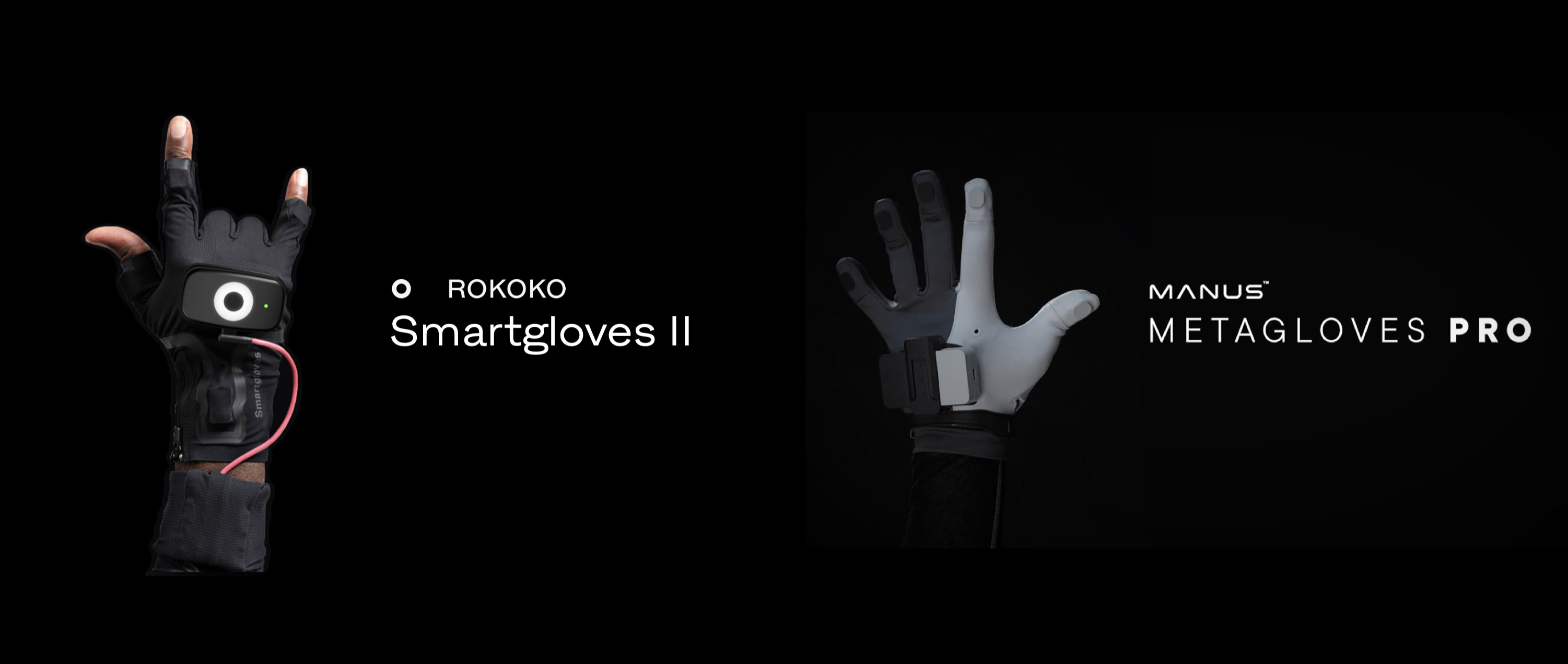
Rokoko Smartgloves II vs. MANUS Metagloves Pro
MANUS currently offers Metagloves Pro and Metagloves Pro Haptic. Metagloves Pro use electromagnetic tracking, offer an SDK, and provide mounting options for third-party spatial trackers.
The biggest difference is design philosophy. MANUS puts an EMF sensor at each fingertip. We leave the fingertips open. Both approaches have real strengths, so it comes down to what your hands are doing.
Here is a comparison between Rokoko Smartgloves II and Manus Metagloves Pro:
Latency and data rates are measured differently by each company (Rokoko: motion to SDK output; MANUS: motion to data), so treat them as a guide rather than a head-to-head result.
When doing a cost comparison between the two gloves, make sure you include everything that’s needed for the intended workflow: gloves, SDK, software licenses, positional tracking (Coil Pro or third-party trackers) and any integration support if needed.
How should you compare accuracy?
Accuracy deserves more than a check mark. An animator cares whether the hand looks right. A robotics engineer cares whether the robot finishes the task.
Sensor accuracy, reconstructed fingertip position, joint-angle error, and robot task performance measure different things. Published figures are useful only when their definitions and test conditions are comparable.
For a meaningful evaluation, use the same participants, objects, reference measurements, and tasks. Measure:
- Fingertip position and joint-angle error.
- Pinch separation and thumb opposition.
- Repeatability after recalibration or changing users.
- End-to-end latency, including variability.
- Tracking interruptions during object interaction.
- Performance near the materials and equipment in your workspace.
- Task completion after retargeting onto your robot.
That’s also why we offer a 30-day trial. Test the gloves on your own work before you decide which set-up to keep.
Which device should you choose?
Choose Rokoko Smartgloves II if you:
- Animate characters that grab, hold and handle props
- Shoot on location or don't want to build a six-figure optical stage
- Want body, hands and face in one ecosystem
- Are building a custom robotics pipeline and want raw data, ROS 2 and Isaac Lab starting points
- Need absolute hand position in a portable setup (with Coil Pro)
- Want a clear price: US$1,995 per pair
Choose MANUS if you:
- Need sensors right at the fingertips
- Need haptic feedback for teleoperation or VR training
- Already run a large optical or Xsens setup and want gloves built around it
- Have the budget for a quote-based system
Final thoughts
Smartgloves II and Metagloves Pro are both good tools for finger and hand tracking. The difference is in the design choices and your budget.
The right choice comes down to a few questions. Do you need portability or a fixed stage? Open fingertips or fingertip sensors? Absolute position? And what does the whole system cost, not just the gloves?
Whether you're animating a hero shot or teaching a robot to grasp, you no longer have to choose between quality and accessibility. Book a demo and we'll show you Smartgloves II on your own use case.
Frequently asked questions
What's the main difference between Smartgloves II and MANUS Metagloves Pro?
MANUS Metagloves Pro place an EMF sensor at each fingertip and use third-party trackers for hand position. Rokoko Smartgloves II leave the fingertips open for direct touch and get absolute hand position from Coil Pro (sold separately). Smartgloves II cost US$1,995 per pair, while MANUS sells on quote only, but resellers list Metagloves Pro at around US$5,000–6,100 per pair, with software licenses extra. MANUS also offers a haptic glove version.