Headrig Lightweight face capture mount
A lightweight, comfortable, and adjustable motion capture head mount for phones. Works seamlessly with iPhone ARKit or other phone camera based workflows.
Refund guarantee: risk-free 30-day trial
Sam playing around with MetaHuman Animator while using the Headrig for iPhone face capture.


Say goodbye to bulky mocap helmets


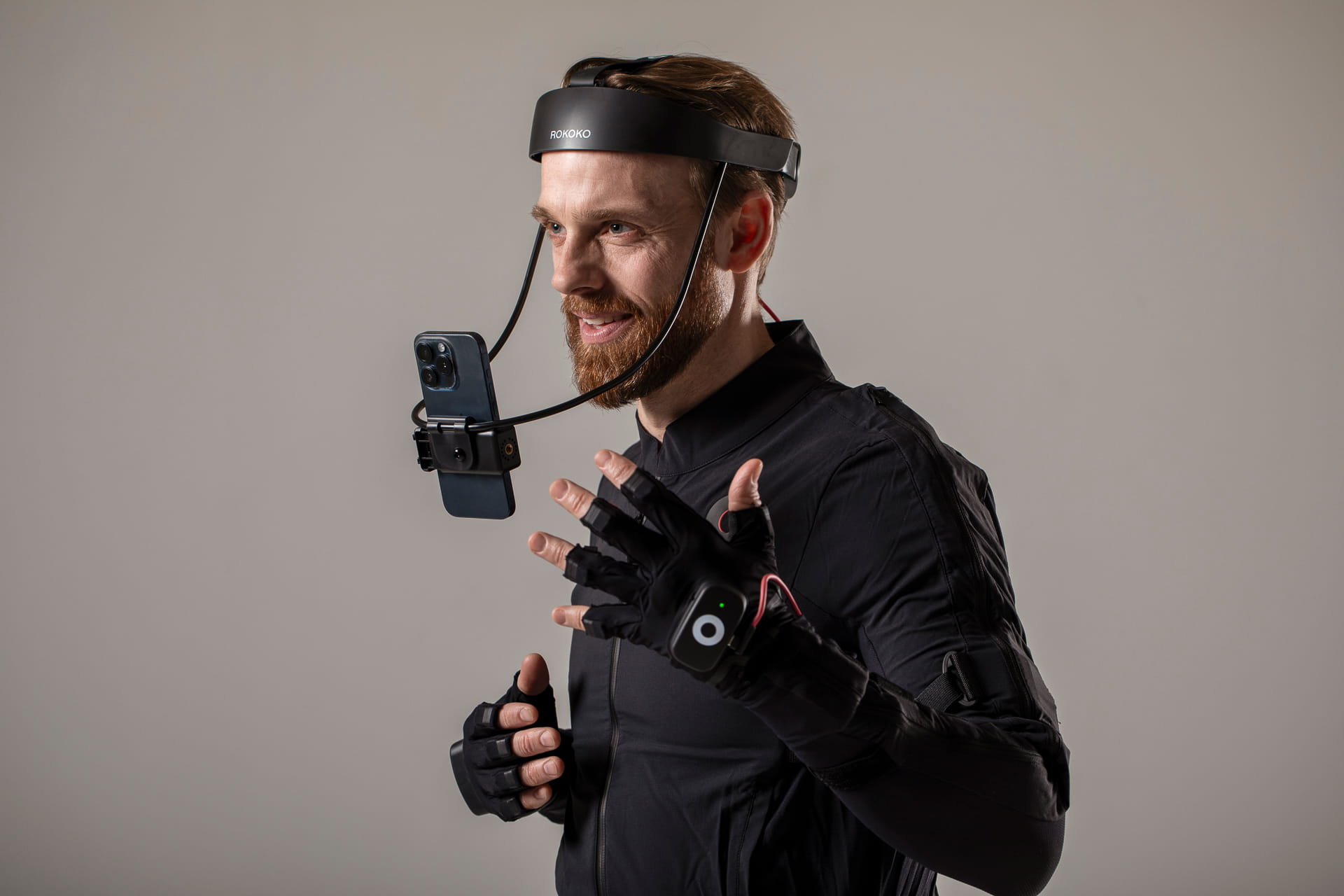
Headrig is a lightweight, stable and adjustable motion capture head mount designed to accommodate an iPhone.
The double tightening mechanism secures the performer with complete freedom of head movement in all directions, at any head motion speed.
- Sturdy clamp fastening
- Adjustable size with counter weight on the rear
- Works seamlessly with Rokoko Face capture app, MetaHuman Animator and more.
- Including 1-year warranty

30-day trial with refund guarantee

Worldwide tracked delivery

Pay in 12 payments (USA)

Dedicated support team
Works seamlessly with iPhone ARKit workflows
Place your iPhone on the Headrig, launch the iOS app and connect to Rokoko Studio to start capturing within seconds.
Save your takes in Rokoko Studio or stream the facial motion data in real-time to your favourite 3D software thanks to our native integration plugins for Unreal, Unity, Blender, Maya, MoBu, C4D, Houdini and iClone.
Refund guarantee: risk-free 30-day trial
Sam playing around with Rokoko iOS Face Capture app recording from the Headrig.
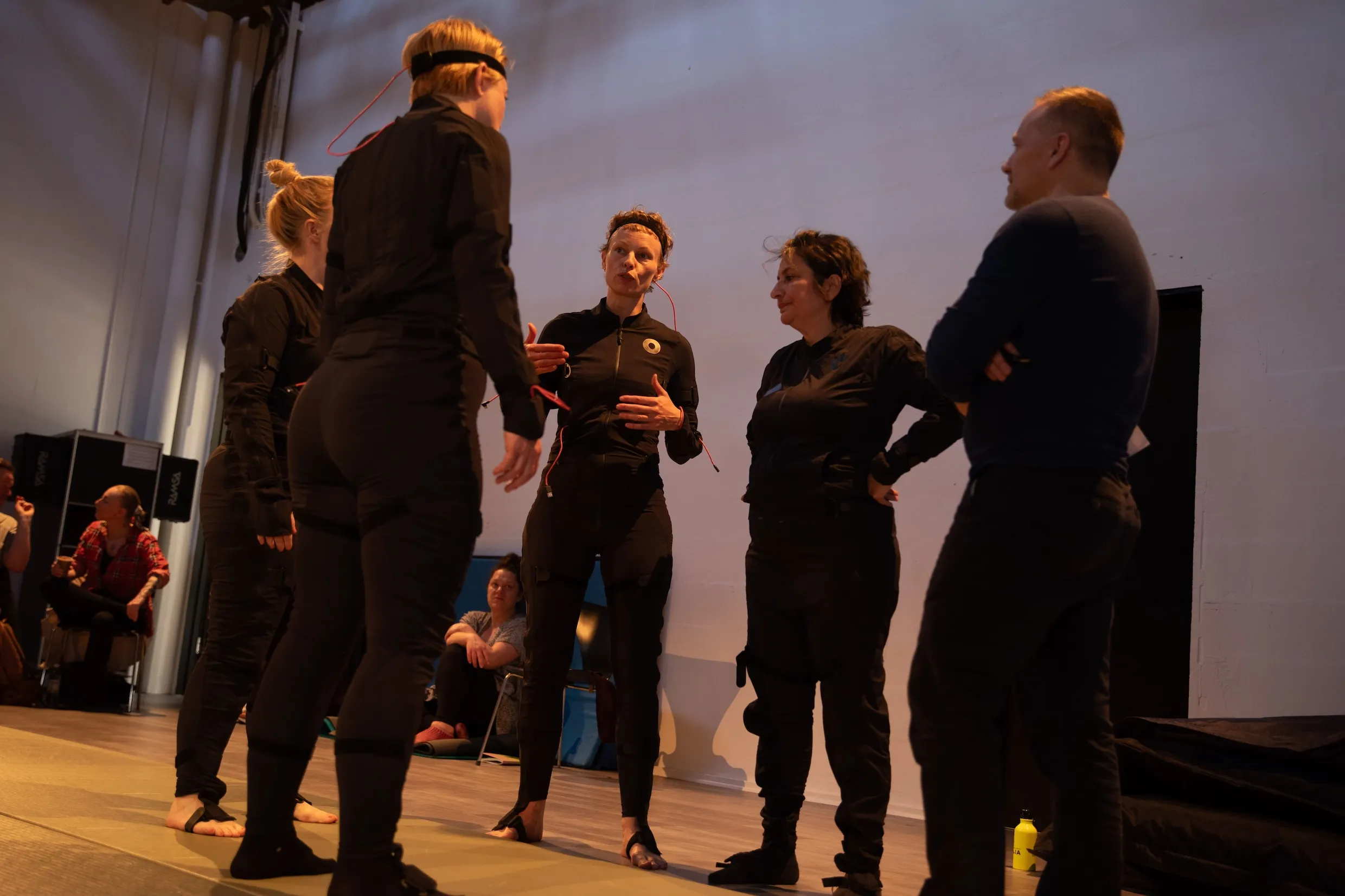
Scalable mocap system for schools, studios and large teams with multiple actors.
Buying for a team, school or studio?
Get volume and bundle discounts on Smartsuit Pro II for your studio, university, or research lab.
Request a free quote for your project needs.
Watch Rokoko Headrig in action
Or book a 1:1 consultation with our experts to get personalised advice on your projects, workflows and animation pipelines
Please accept Statistical and Marketing cookies to watch this video.
Frequently asked questions
Can't find what you're looking for? Shoot us an email at support@rokoko.com
Does the Headrig work with MetaHuman Animator and Unreal Engine?
Yes. The Headrig mounts your iPhone for hands-free facial capture, and that iPhone feeds straight into Unreal Engine's MetaHuman Animator via Epic's free Live Link Face app - for both real-time ARKit streaming and high-precision TrueDepth (offline) capture. It also works with the Rokoko Face Capture app and integrations for Unreal, Unity, Blender, Maya, MoBu, C4D, Houdini and iClone.
If you want a dedicated head-mounted camera that plugs into MetaHuman Animator's single-cam workflow without using your phone, see the Rokoko Headcam.Can I use the Headrig with an Android phone?
The Headrig is designed for the iPhone. High-quality facial capture relies on the iPhone's TrueDepth sensor and ARKit, and the Rokoko Face Capture app is iOS-only. An Android phone will physically fit the mount, but you won't get the supported face-capture workflow, so we recommend pairing the Headrig with a compatible iPhone.
Which iPhone do I need?
The Headrig works with any iPhone that has a TrueDepth (Face ID) front camera, except Plus and Max models, which are too large for the mount. For MetaHuman Animator, Epic officially supports iPhone 12 and newer.
Headrig vs Headcam - which should I choose?
Choose the Headrig if you already own a compatible iPhone and want the most affordable, simplest way to do head-mounted face capture with ARKit and Live Link Face or Rokoko Face Capture app. Choose the Headcam if you want an all-in-one head-mounted camera (with built-in lighting, mic and USB-C output) purpose-built for MetaHuman Animator's single-cam workflow, with no phone required.
Which apps work with the Headrig?
The Headrig works with any iOS face-capture app that uses the iPhone's TrueDepth camera. The two most common are the Rokoko Face Capture app (streams into Rokoko Studio and your 3D software) and Epic's free Live Link Face app (streams into Unreal Engine and MetaHuman Animator). The Headrig simply holds the phone, you choose the pipeline.
Add rich facial expressions to your custom characters
Capture 52 blendshapes to animate your characters in real-time or export the data to use in Blender, Unreal, C4D, Maya etc.


Place an iPhone on the Headrig, open the Rokoko Face Capture app and capture your facial animations in real-time.


